
Most support engineers spend their day on the same twenty questions. Where is my order? Is this under warranty? The motor won’t start, what do I check? Each call is short, but someone still picks up, writes down the details and types a ticket. After hours, the calls go to voicemail.
An AI agent for customer support can now take many of those calls. It answers from your help documents, sounds like a calm support engineer, and hands each call to your team as a finished ticket.
We built one to find out what it handles, what it costs and where it still needs people. This post is for the people who decide whether to put one on a support line: COOs, heads of customer experience, and service and operations leaders. The build details are at the end for your tech team.
What is an AI voice agent?
An AI voice agent is software that answers phone calls and talks with callers in natural speech. It turns what the caller says into text, decides what to reply using a language model and your company’s documents, and speaks the answer back. An AI voice agent for customer service also takes actions: it raises tickets, books callbacks and hands calls to people.
What an AI agent for customer support handles
Our agent, Ash, works for Aerodyne Flow Systems, a sample company we invented: an Indian maker of industrial pumps, valves and electric motors. We picked industrial support because it’s hard. Callers read out model codes and serial numbers, some calls come in because production has stopped, and a few are real safety issues.
Ash takes seven kinds of calls:
- Order status and delivery tracking
- Warranty questions and claims
- First-line troubleshooting for pumps, valves and motors
- Spare parts: availability, indicative prices, and orders under ₹25,000
- Returns, refunds and cancellations
- Service plans, on-site visits and maintenance advice
- General product, invoice and payment-terms questions
It won’t take new equipment orders, change tax details on invoices, negotiate prices or read out bank details. For those, it books a callback with the right team.
What changes for your support team
The agent picks up every call, day or night, and answers from the same documents your engineers use. A weekend caller gets an answer or a ticket instead of a voicemail.
Every call ends with the same set of fields filled in: who called, what they need, the model and serial number, the priority and the next step. Nobody writes up notes from memory.
The identity checks, safety instructions and escalation rules are written once, and the agent applies them on every call, including the last one of a long day.
Engineers get fewer status checks and more calls that already come with a summary and a priority.
The controls to insist on
An AI on your phone line speaks for your brand and, in industrial support, gives safety instructions. These are the rules we gave Ash. Any agent on your line needs its own version of each.
It answers only from approved documents. If Ash isn’t sure, it says: “I want to be accurate, so let me create a ticket and the right team will confirm.” It doesn’t guess prices, dates, policies or technical limits, and it quotes prices as indicative and excluding tax.
It checks who’s calling. Before discussing an order, invoice or account, Ash confirms two of four details: registered company name, registered phone number, latest order or invoice number, or delivery pin code. It never shares another customer’s information or contract pricing.
Safety comes first. If a caller mentions smoke, a burning smell, sparks, fire, an electric shock risk or a chemical leak, Ash says at once: “Please switch off the power at the main panel and move away from the equipment.” It then raises the top-priority ticket and hands over to a person. Before any troubleshooting step, it tells the caller to switch off the power, and it never suggests bypassing a safety device.
It hands over to a person when the caller asks for one twice or is clearly upset, when there’s a safety incident, when the topic is legal or about compensation, and when a disputed order is above ₹5 lakh. If no one is free, it books a callback.
Every ticket gets a priority:
| Priority | When |
|---|---|
| P1 | Safety incident |
| P2 | Production stopped, or a breakdown on a Premium Care plan |
| P3 | Normal request |
| P4 | Information only |
AI voice agent pricing: what it costs per minute
Vapi, the voice platform we used, estimated this setup at about $0.10 a minute. Our two test calls cost less: $0.25 for a 3-minute phone call and $0.61 for a 7-minute web call, roughly 8 to 9 cents a minute.
At $0.10 a minute, 1,000 four-minute calls cost about $400 in platform usage. That leaves out phone line charges, the work of connecting the agent to your systems, and the team time to review calls and keep the documents current.
What our test calls showed
We made two test calls ourselves, one by phone and one in the browser.
Speech recognition got my name wrong twice on the web call, as “Etsovia” and then “Sudia.” Ash read each version back, I corrected it, and the third try was right. On the phone call I gave a callback number two digits short, and Ash caught it: “That seems incomplete. Could you please repeat the full callback number?” Without read-backs, the ticket would have had the wrong name and a number nobody could call.
On the web call, speech recognition also turned my request into a product the company doesn’t sell. Ash said the company supports pumps, valves and motors and asked whether I meant one of those.
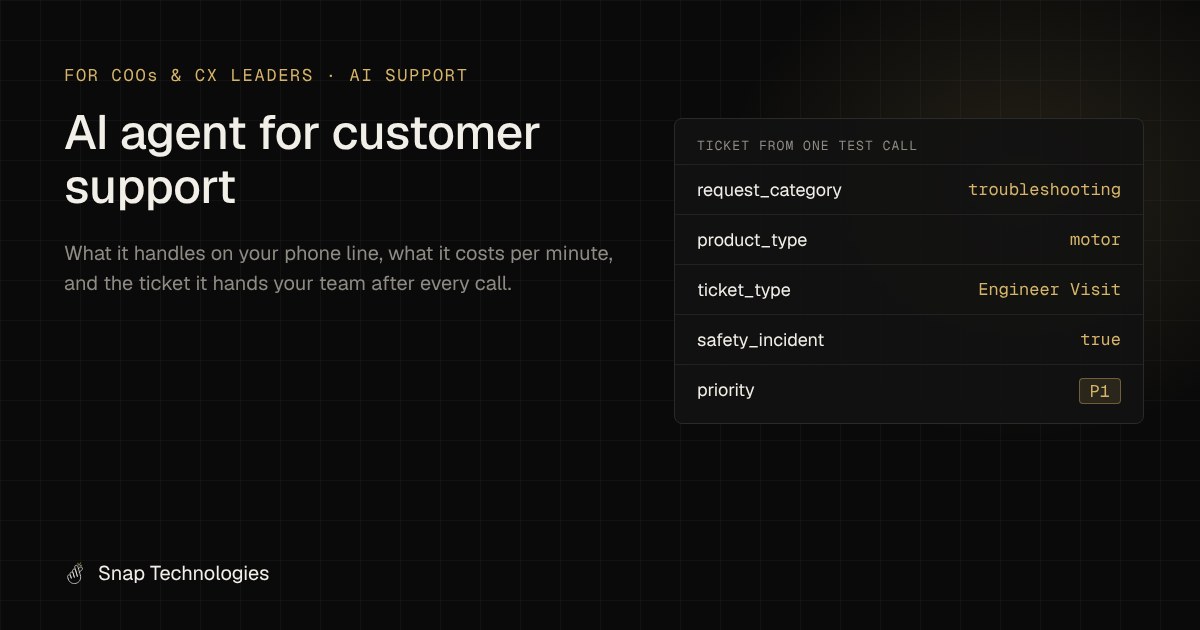
On the phone call, I asked for a callback about a motor that wasn’t working. Ash took my name, company, number, model and serial number, then asked what happens when I start the motor. I said, “The motor just busted.” Ash replied straight away: “Please switch off the power at the main panel and move away from the equipment. I’m treating this as an urgent safety incident.”
Then it told me it would connect me to the team, and the call ended in silence. Its instructions said to transfer the call, but we hadn’t connected it to a live transfer line or a ticketing system yet. Anything an agent promises on a call has to be wired to a real system, and the safety path has to be tested before launch.
The data from every call
Nobody has time to listen to call recordings. So after every call, the agent fills in 18 fields:
| Field | What it tells your team |
|---|---|
| Caller name and company | Who called, with any spelling the caller corrected |
| Callback number and email | Contact details as confirmed on the call |
| Request category | Order status, warranty, troubleshooting, spare parts, returns, service plan, general query, sales enquiry or other |
| Product, model and serial number | The exact equipment |
| Order or invoice number | For order and warranty calls |
| Issue summary | One or two sentences an engineer can act on |
| Ticket type and priority | The ticket raised and its P1 to P4 priority |
| Safety incident, production stopped | Yes/no flags for calls that can’t wait |
| Follow-up needed, resolved on call | Whether a person needs to act, and whether the agent handled it fully |
| Next action | What the team should do next, in one sentence |
| Caller sentiment | Satisfied, neutral, confused, frustrated or angry |
This is the unedited output from the phone call above:
{
  "caller_name": "Surya",
  "company_name": "Super technologies",
  "callback_number": "8012345678",
  "request_category": "troubleshooting",
  "product_type": "motor",
  "model_number": "8MM000123",
  "serial_number": "123456",
  "issue_summary": "The motor is not working and reportedly 'busted' when started, indicating a possible safety hazard. The caller needs urgent support and investigation.",
  "ticket_type": "Engineer Visit",
  "priority": "P1",
  "safety_incident": true,
  "production_stopped": false,
  "human_followup_needed": true,
  "resolved_on_call": false,
  "next_action": "Transfer the call to a human support engineer urgently and arrange a callback to investigate the motor safety incident for Super Technologies at 8012345678.",
  "caller_sentiment": "frustrated"
}
It flagged P1 and the safety incident, chose an engineer visit, and kept the exact model and serial number.
With these fields, a P1 or a safety flag can page the on-call engineer the moment the call ends, and the ticket can land in your helpdesk or CRM without anyone typing it. A weekly count of call reasons, calls the agent resolved and caller sentiment shows which documents need work and which products generate the most calls.
How we built it: a Vapi AI voice agent, for your tech team
The agent runs on Vapi, a platform for building voice agents:
| Part | What we used | Why |
|---|---|---|
| Speech to text | Deepgram Flux (English) | Fast turn-taking, so the agent knows when the caller has finished |
| Language model | OpenAI GPT-5.6 Sol | Follows a long rule set reliably on a live call |
| Voice | ElevenLabs Eleven v4 Turbo, “Roger” voice | Calm, natural, low latency |
| Knowledge | Vapi knowledge base query tool on Gemini 3.1 Flash Lite | Searches the help documents during the call |
| Call data | Vapi structured outputs | Fills the 18 fields after each call and sends them by webhook and API |
The knowledge base is seven markdown documents, including an FAQ with escalation rules, a spare parts and service guide, and a step-by-step troubleshooting guide. Vapi estimated response latency at about 1.75 seconds.
Most of the work went into the instructions, because a voice agent has to talk like a person on the phone. Ash uses short sentences and asks one question at a time. It says amounts in words (“forty-eight thousand five hundred rupees”), spells model codes letter by letter, and reads back every email, order number, serial number and phone number.
What it takes to run one on your line
A demo only has to answer calls. A live support line also needs:
- connections to your systems: call transfer, ticket creation in your helpdesk, and order and warranty lookups in your ERP or CRM
- help documents that actually answer the common questions, because the agent creates a ticket for anything they don’t cover
- testing before launch, especially the safety path and the handoffs
- a weekly review of the call data to fix documents and tighten rules
Upset customers, legal or compensation questions and large disputes should go to a person, and the agent should hand them over quickly.
Where AI support agents fit
The same setup works wherever support calls repeat and the answers are written down:
| Industry | Calls the agent can take | What reaches your team |
|---|---|---|
| Equipment manufacturers | Warranty, spare parts, first-line troubleshooting | Engineer-visit tickets with model and serial numbers |
| Logistics and distribution | Delivery status, missed pickups, damage reports | Transit-damage claims with order numbers |
| SaaS and IT service providers | Login problems, billing questions, outage checks | Helpdesk tickets tagged by product area and urgency |
| Property and facilities | Maintenance requests, after-hours calls | Work orders with location and priority |
| Any team with an after-hours line | Messages and callback requests | A morning queue sorted by priority instead of voicemails |
How to try one
- List the three to five routine calls your team handles most often.
- Collect the documents your team answers them from: FAQs, policies, troubleshooting guides, price lists.
- Write down who gets verified, what counts as urgent, and when a person must take over.
- Run a pilot on one line or after hours, and compare the call data each week with how your team handled the same calls.
Want an AI agent for customer support on your line?
Snap Technologies builds AI agents that work inside your existing systems. We train the agent on your documents, ticket types and escalation rules, connect it to call transfer, your helpdesk and your order system, and review the call data with you every week.
Book a 15-minute call and we’ll map your most common calls together. Or apply for one of our free AI pilots: we build the workflow with your team and run it for 2 to 4 weeks at no cost.